


English Crossword Puzzle
4.72.81K Reviews
App Specs
- Version
- 2.6.2
- Updated On
- License
- Free
- Downloads
- 5,000,000+
- Developer
- Litera Games
- Categories
- Word
- Platform
- Android, iOS
Screenshots
 Analysis by AppCompare
I judge a crossword game by a few practical questions: can I understand its clues without a dictionary beside me, can I pick it up for a short break, and does it remain enjoyable when I’m not connected? English Crossword Puzzle is aimed squarely at people who want to practise English through familiar crossword solving rather than study from a lesson screen. That focus makes it easier to recommend to some players than to others.
Who will get the most from it
I’d start here if you already know the basics of English but want regular, low-pressure practice with spelling and vocabulary. Crossword clues encourage you to recall a word rather than simply recognize it in a list, and the crossing letters can give you a useful nudge when your memory stalls. That makes a puzzle feel like a small exercise in retrieval, not just a test of what you already know.
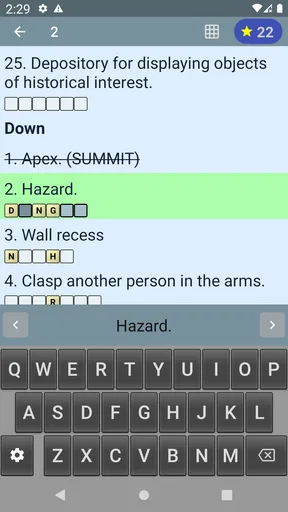
It can also suit someone who has a few spare minutes and prefers a quiet word game to a fast-paced game. A short session during a coffee break or while waiting for an appointment is a natural fit: you can work on a clue, fill in a few answers, and stop when you need to move on. The offline play is especially handy when you’re travelling or have an unreliable connection, because the basic appeal of solving does not depend on being online.
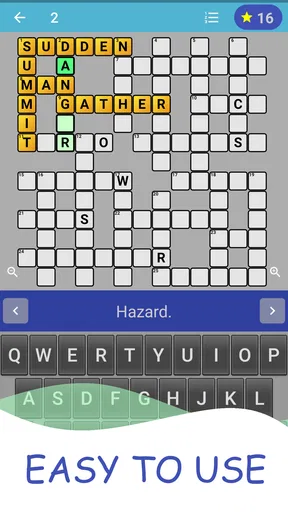
One useful way to approach a difficult board is to treat it as a vocabulary exercise rather than race to finish. Read a clue, think of possible answers, then use the intersecting letters to check your guess. If a word is unfamiliar, take a moment to work out why the clue points to it instead of tapping through the puzzle as quickly as possible. That small change makes the game more valuable for learners, although it may feel slow to anyone who only wants a quick score.
How it fits among word-game alternatives
Compared with word searches, where the task is to spot a visible sequence of letters, a crossword asks you to recall words from clues and fit them into a grid. I find that distinction matters: crosswords are more useful when I want to practise meaning and spelling together, while a word search can be the easier choice when I want something almost entirely visual and relaxing.
It also serves a different purpose from vocabulary flashcards or a structured language course. Those formats are usually better when you want deliberate lessons, repeated study of a chosen word set, or a clear progression through grammar. This game is the more casual option: it puts English words in front of you in a puzzle context, without asking you to organise a study session first. I would use it as a supplement to learning, not as a substitute for lessons or conversation practice.
For experienced crossword fans, the important question is whether they want a dedicated, demanding puzzle experience or an accessible English-language pastime. The game’s emphasis on easy levels for English learners points toward approachability rather than a test of specialist crossword knowledge. If you expect intricate clues and a steep difficulty curve, a crossword app designed for seasoned solvers may be a better match.
Worth Reading Before You Choose

EA SPORTS FC Mobile 26 Is a Bigger Football Game, but It Takes Time

Flipboard Shows What News Apps Must Do Beyond the Feed

Switching to Android Auto Means Rethinking Your Driving Routine

Google Calendar Makes a Crowded Week Easier to Manage

Ludo King Makes the Most of the Minutes Between Plans

Baby Panda World Brings Quick Play to Modern Phones, but Its Game Library Feels Busy
Practical trade-offs before you begin
The free price makes it easy to try, but there are in-app purchases, so I’d check the purchase options before treating every part of the experience as cost-free. The listed range is $0.99 to $17.99 per item. You can enjoy the core idea without making a purchase your first step; if an offer appears, decide whether it solves a real problem for you rather than buying simply because you’ve hit a tricky clue.
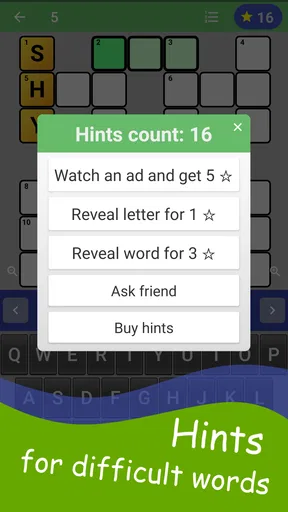
There is also a worthwhile trade-off in using hints. Revealing a letter can break a deadlock and keep a session pleasant, but leaning on help too early takes away the useful recall that makes a crossword good practice. My approach would be to fill the answers I’m confident about first, revisit the crossings, and only then use a hint if I’m no longer learning from the struggle. This is a more satisfying routine than asking for help at the first unfamiliar word.
Because this is an English-focused game, a learner’s experience will depend on their current vocabulary. Beginners may find some clues hard to interpret even when the intended answer is short; more advanced speakers may solve quickly and want tougher material. If you are unsure where you fall, start with a small session and pay attention to whether the clues feel helpfully challenging or simply opaque. That is a better test of fit than assuming every learner will find the same level comfortable.
It is a word game from Litera Games, and its position in the category is clear: accessible crossword practice with offline play. Its 4.7 average from around 59,000 ratings and more than five million installs suggest broad appeal, but those figures don’t tell me whether its learning-oriented difficulty will suit a particular player. I’d base that decision on the kind of clues and challenge you personally enjoy.
The game is free, is rated Teen, and its current version is 2.5.3. It runs on Android 6.0 or later. Those details make it straightforward to judge basic compatibility before installing, while the age rating is a useful reminder for anyone choosing a game for a younger player. I’d still consider whether a crossword is the right kind of screen time for that person: the learning angle may appeal to someone practising English, but it won’t replace a teacher or a conversation partner.
First Impressions and User Interface
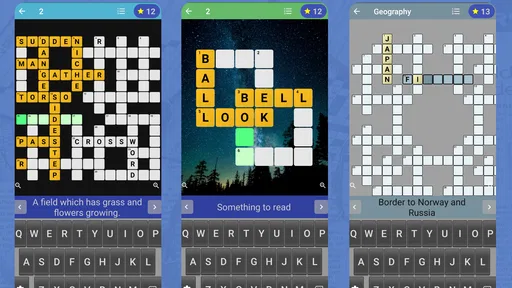
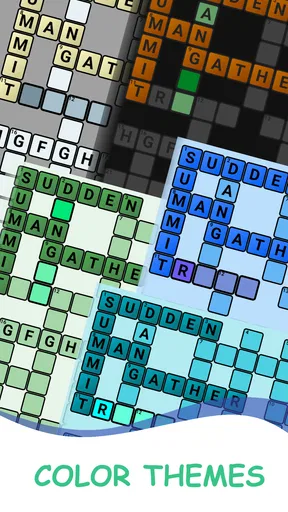
When you first open the English Crossword Puzzle app, you're greeted with a sleek and intuitive interface. The developers have clearly put a lot of thought into making this app user-friendly. The layout is clean, with a calming color palette that doesn’t distract from the main event: the puzzles themselves!
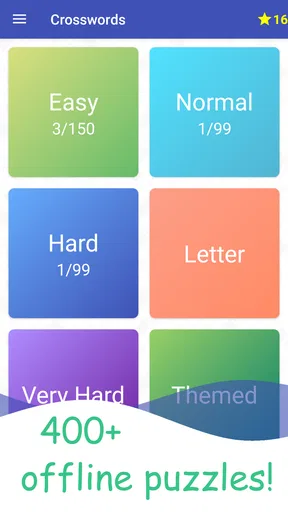
The navigation is straightforward. You’ve got your main menu with options like “Daily Puzzles,” “Collections,” and “Achievements.” It’s all there, right at your fingertips. One of the standout features for me is the smooth transition between screens, which makes the whole user experience feel seamless.
Game Modes and Features
This app isn't just about solving puzzles; it’s about the variety it offers. You can dive into the Daily Puzzles which keep you coming back for more each day. The thrill of completing a puzzle before the day ends is like a little victory. Plus, there’s a sense of community with leaderboards where you can compare your best times with players worldwide.
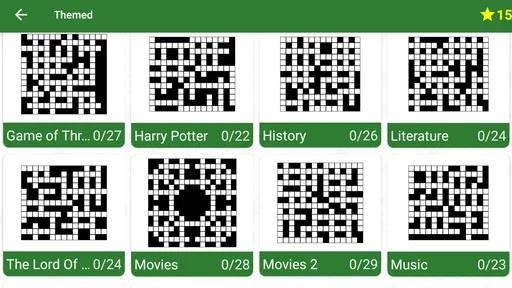
For those who crave a little extra challenge, the Collections feature offers themed puzzles. Whether you’re into literature, history, or pop culture, there’s something for everyone. This keeps the gameplay fresh and exciting, as you’re not just solving words, but also learning new facts along the way.
Hints and Tips
Let’s be real—sometimes you get stuck. It happens to the best of us. The app offers a handy hint system. You can reveal a letter, a word, or even eliminate incorrect letters. It’s like having a friendly little nudge to keep you moving forward without feeling frustrated. However, I recommend using hints sparingly to keep the challenge alive!
Performance and Accessibility
In terms of performance, the app runs smoothly on both Android and iOS. I haven’t experienced any crashes or lags, which is a big win in my book. It also supports offline play, so you can enjoy your puzzles even without an internet connection. Perfect for those long commutes or flights!
Accessibility is another area where this app shines. With adjustable font sizes and contrast settings, it caters to users with different visual needs. It’s these little touches that show the developers truly care about their user base.
Personal Takeaway
What I love most about the app is how it manages to balance challenge with fun. It’s the perfect way to unwind and give your brain a workout at the same time. Plus, the satisfaction of completing a puzzle is unbeatable. It’s like finishing a good book—you just want more!
So, if you’re on the hunt for a new app to keep your mind sharp, look no further. This app is definitely worth a download. Happy puzzling!
Pros
- Engaging puzzles enhance vocabulary.
- User-friendly interface for easy navigation.
- Daily challenges keep content fresh.
- Offline mode available for travel.
- Hints system aids challenging puzzles.
Cons
- Limited free hints available.
- Ads can be intrusive at times.
- Some puzzles require in-app purchases.
- Occasional crashes on older devices.
- No multiplayer or social features.
FAQs for English Crossword Puzzle
What platforms is the English Crossword Puzzle app available on?
The English Crossword Puzzle app is available on both Android and iOS platforms. You can download it from the Google Play Store for Android devices and the Apple App Store for iOS devices. Ensure your device meets the minimum system requirements for a smooth experience.
Does the English Crossword Puzzle app require an internet connection?
The English Crossword Puzzle app primarily operates offline, allowing you to enjoy puzzles without an internet connection. However, an internet connection might be required for downloading new puzzle packs, accessing hints, or syncing your progress across multiple devices.
Are there in-app purchases in the English Crossword Puzzle app?
Yes, the app offers in-app purchases. These may include additional puzzle packs, hints, or ad-free experiences. While the base app is free to download, purchasing these options can enhance your gameplay by providing more content and features.
Can I customize the difficulty level of puzzles in the app?
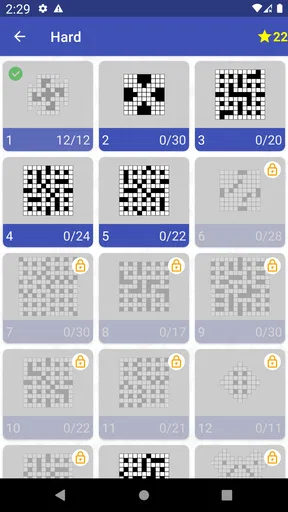
Yes, the English Crossword Puzzle app allows users to choose from various difficulty levels to match their skills. Whether you’re a beginner or a seasoned puzzle solver, you can adjust the settings to challenge yourself appropriately and enjoy a tailored crossword experience.
Does the app offer any accessibility features?
The English Crossword Puzzle app includes several accessibility features to accommodate different user needs. Options such as adjustable font sizes and high-contrast modes are available to enhance readability and usability, ensuring that everyone can enjoy the puzzles comfortably.


